
Viewing calendar
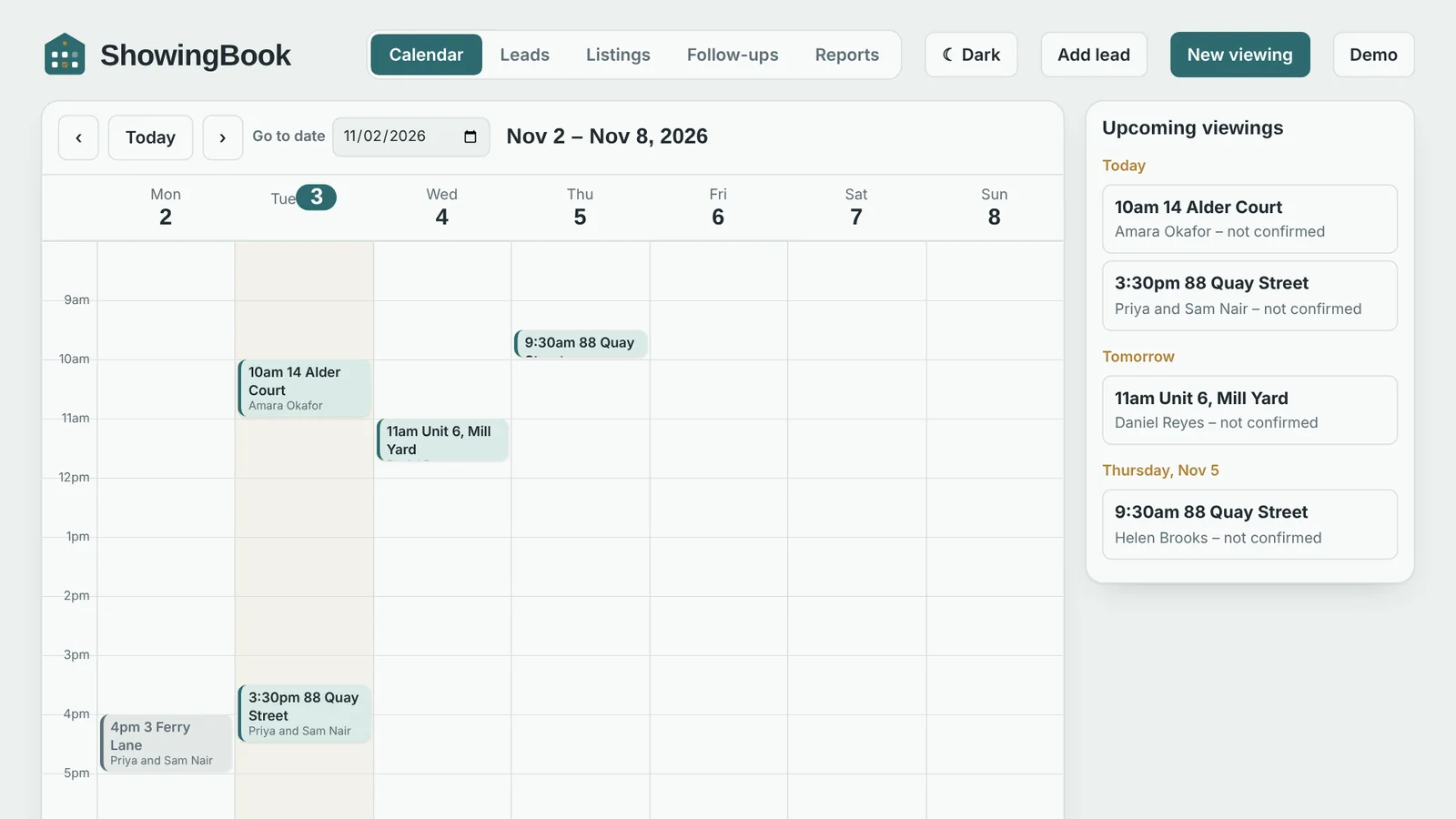
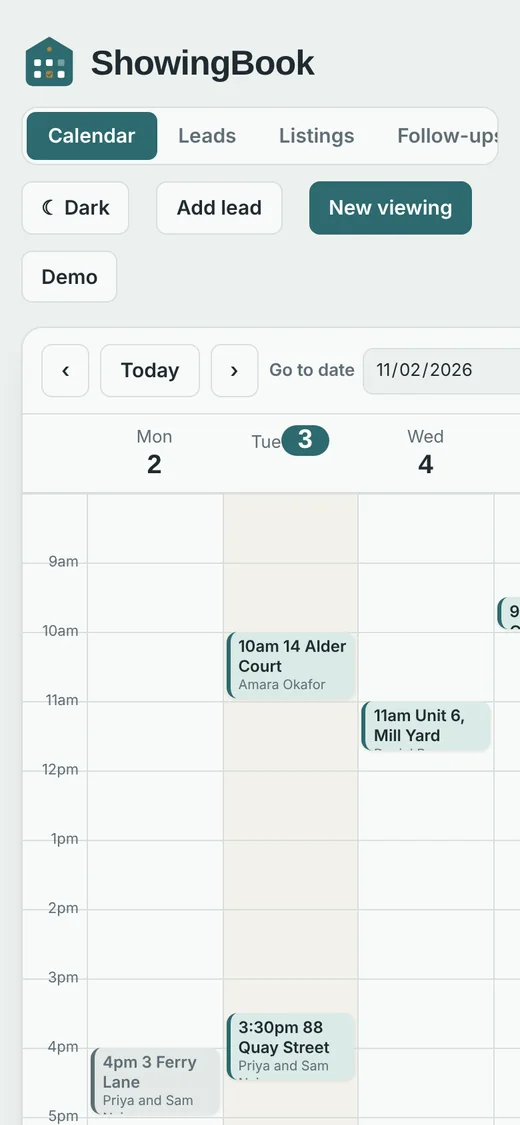
Week view with drag-and-drop rescheduling. Click an empty slot to book, and get a warning when two viewings overlap.
Property operations, in one calm workspace
Keep leads, viewings, listings and follow-ups together. Plan your week, stay ahead of every next step, and send a polished confirmation in one tap.
Try the live workspace as an Admin or Agent
Made for the way agents work
Built for agents who juggle buyers, viewings and listings, not for enterprise sales teams.
Week view with drag-and-drop rescheduling. Click an empty slot to book, and get a warning when two viewings overlap.
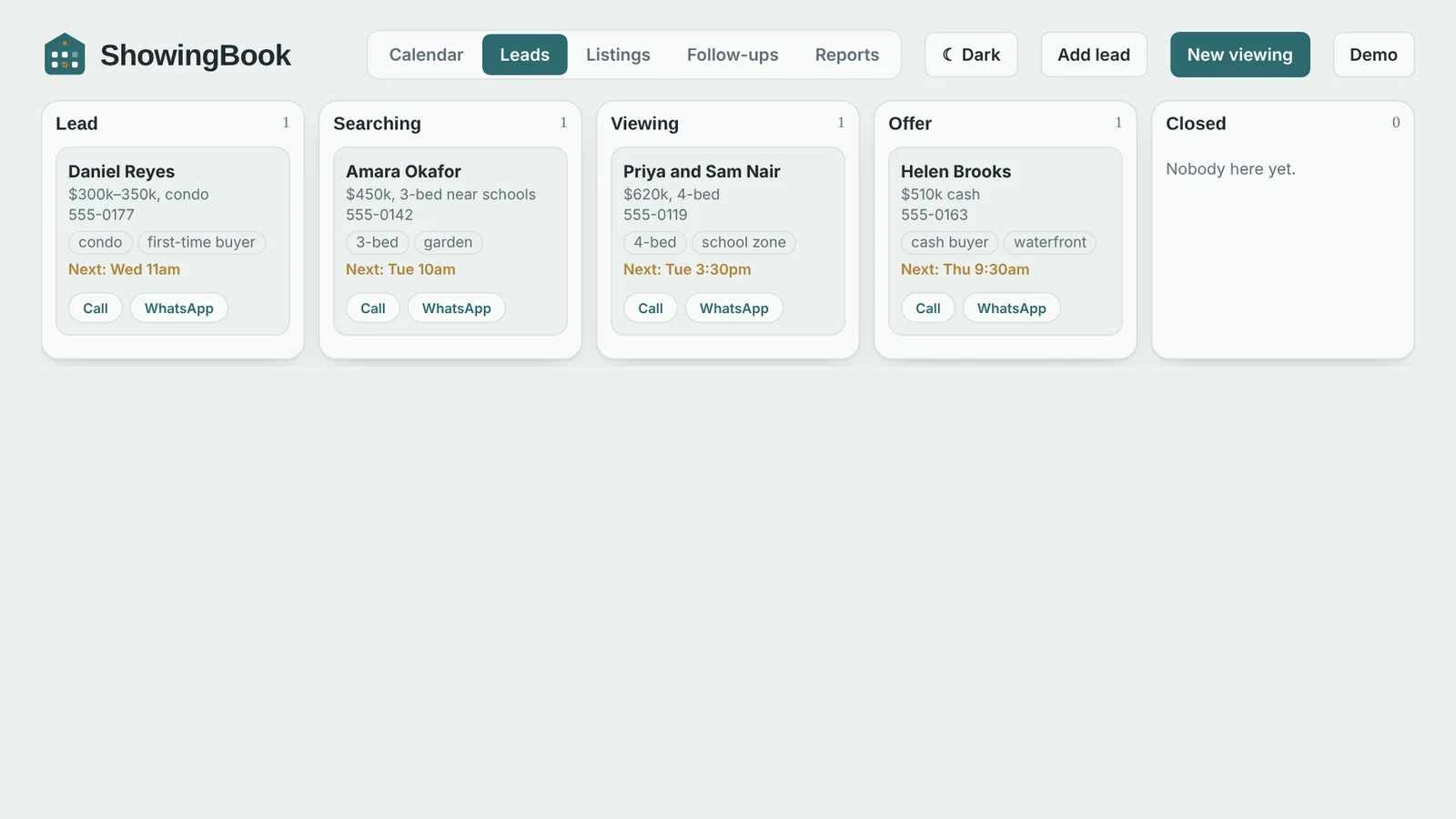
Move buyers through five stages from Lead to Closed. Add interest tags, budgets and notes, and call or message in one tap.
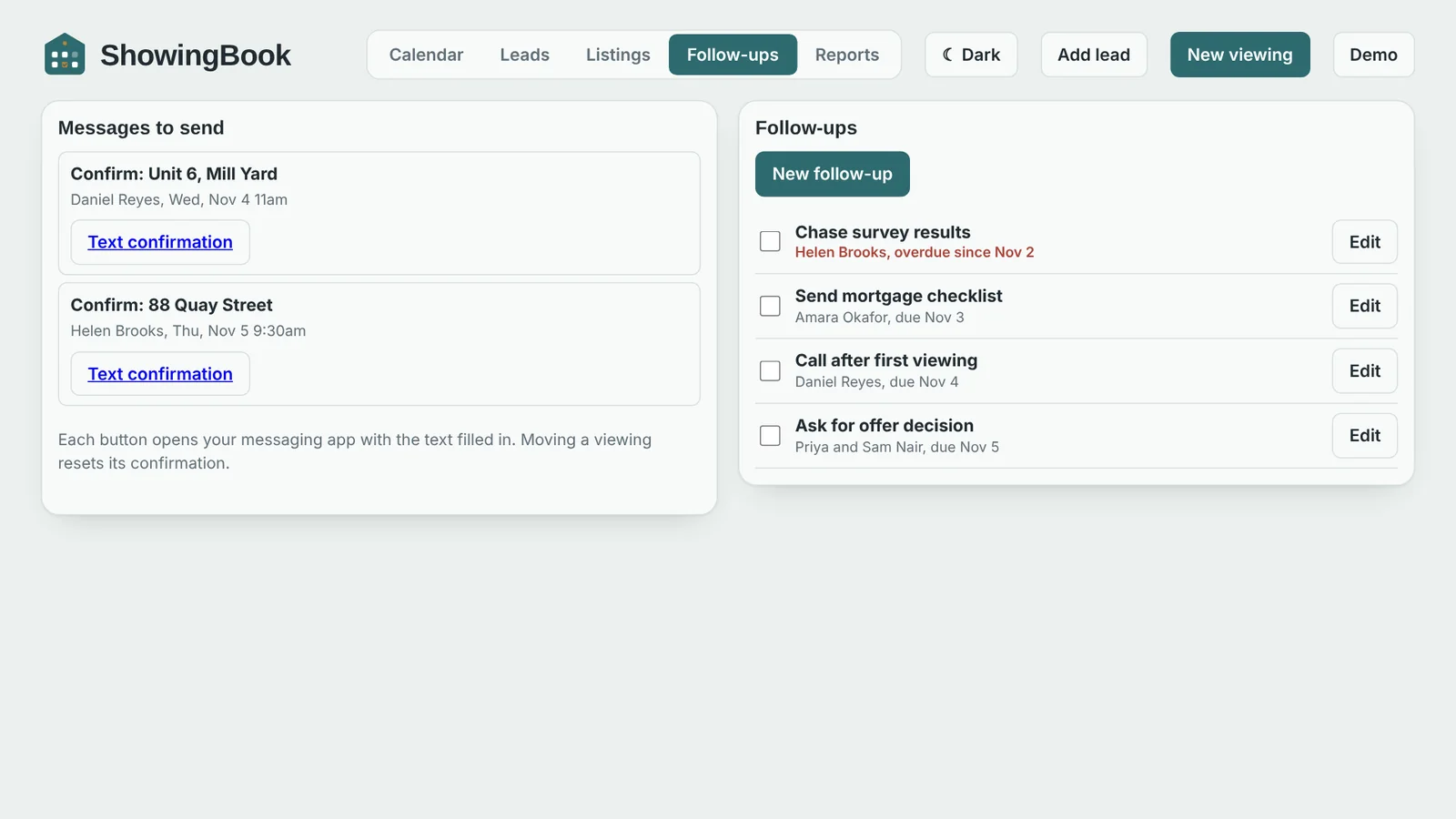
Confirmation and reminder texts open your phone's SMS or email app with the message already written. Nothing is sent automatically.
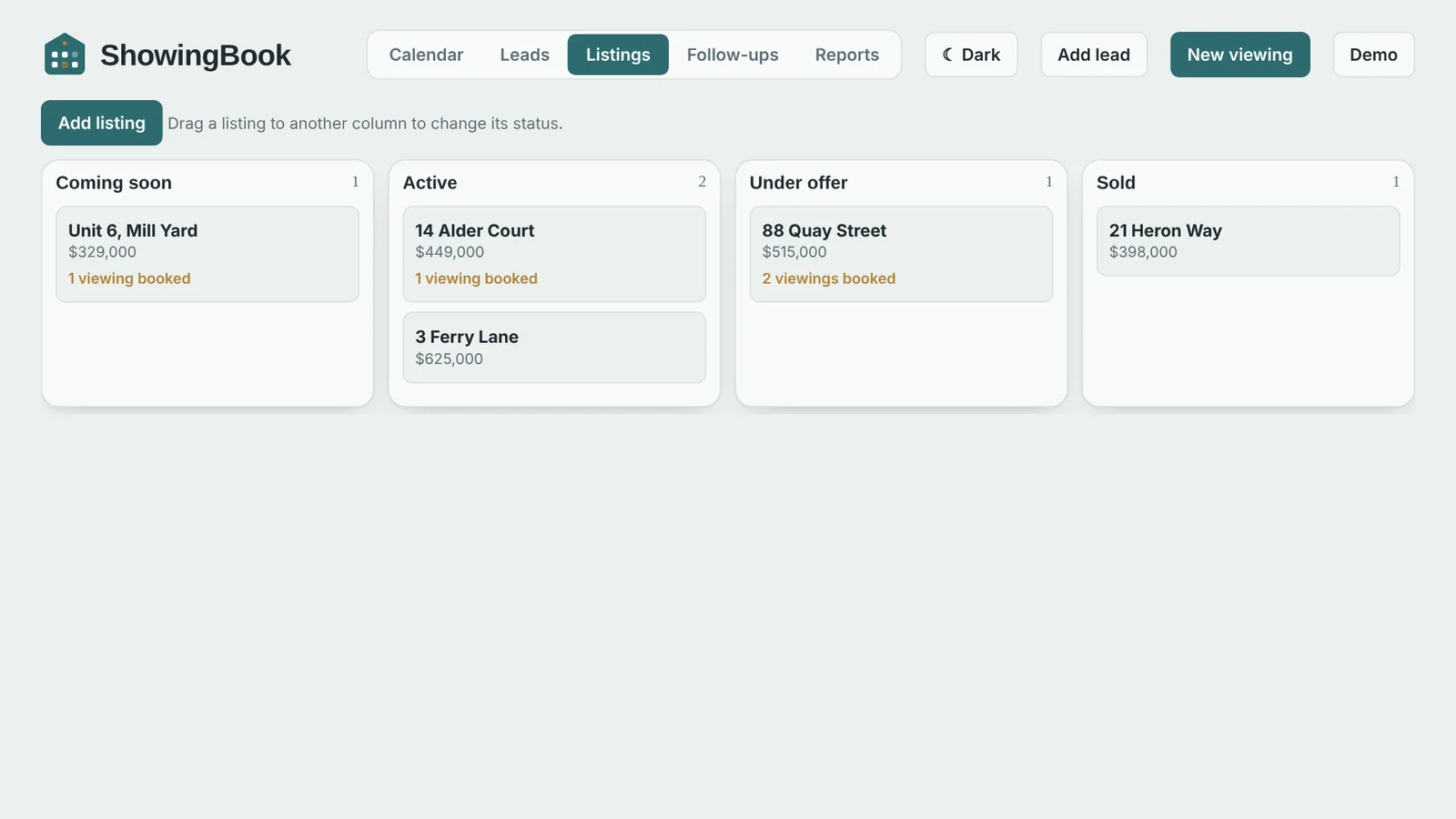
Track each property from Coming soon to Sold. Drag a card to change its status.
Due dates, overdue highlighting, and every task linked back to the lead it belongs to.
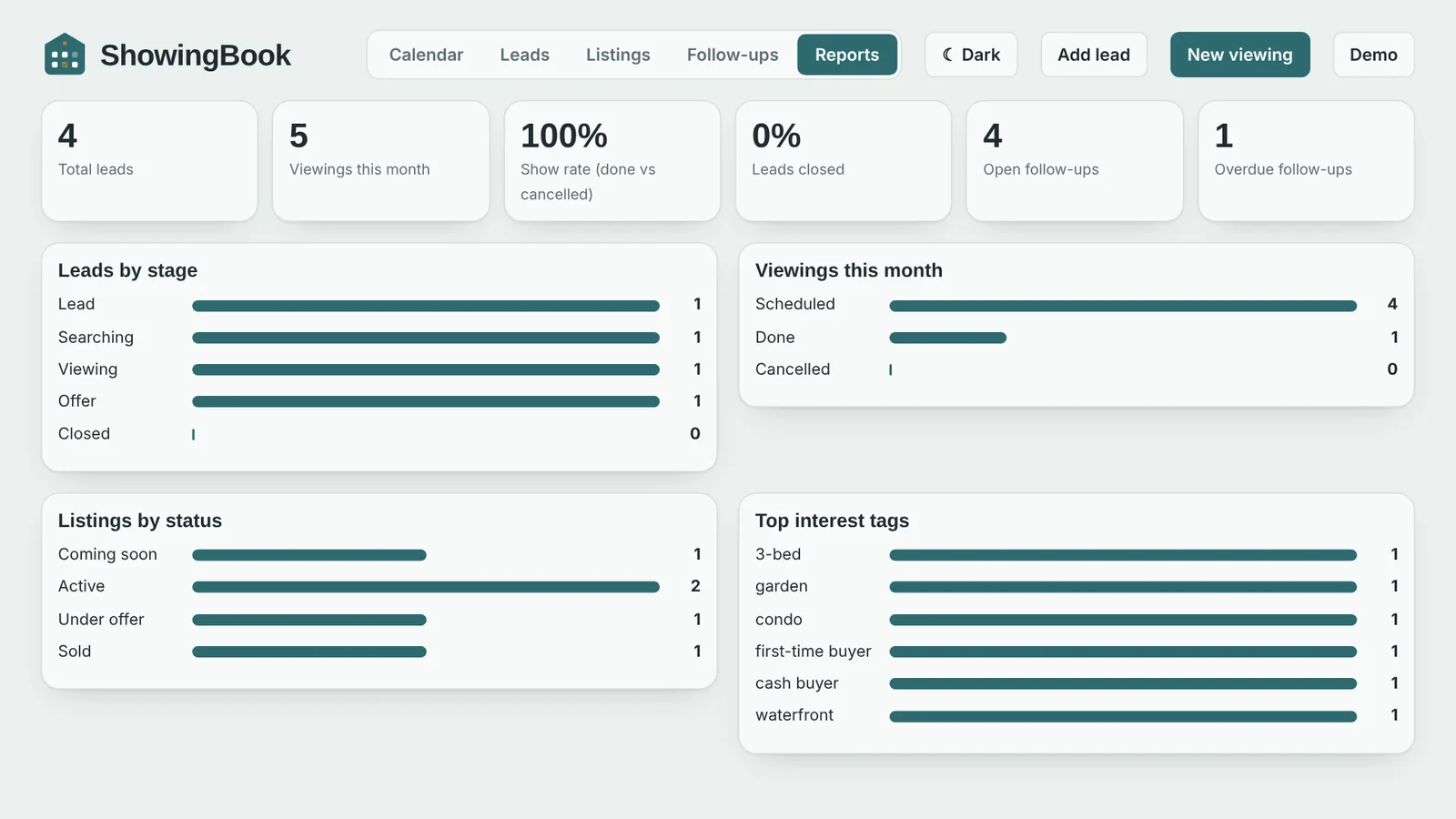
Leads by stage, viewings this month, show rate, listings by status and your top interest tags.
A closer look
Real screens from the live demo.
Designed around your day
Your workflow, your way
Run it on a small VPS or in Docker in minutes. The archive includes a step-by-step setup guide, the database schema, demo data, API documentation and an automated test suite.
.env.example file and set your secret and first admin.docker compose up -d --build or the VPS guide.The mobile apps for Android and iOS are the same web app wrapped with Capacitor; the native project folders are generated once with npx cap add.
See how your day can feel
The live demo is pre-filled with sample leads, viewings and listings. Sign in as Admin or Agent with one click.
Open the Live Demo